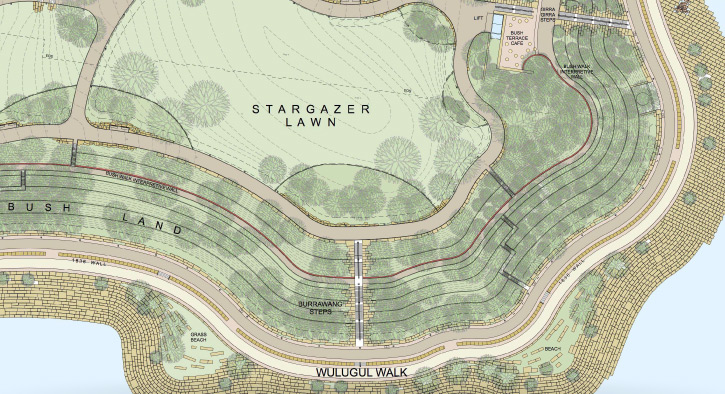
GENE LEAHY MALL AT THE RIVERFRONT | COURTESY OF OJB LANDSCAPE ARCHITECTURE AND DAN SCHWALM
Pre-design
Schematic Design
Design Development
Construction Documents
LANDSCAPE DESIGN SOFTWARE FOR EVERY PROJECT PHASE
Pre-design
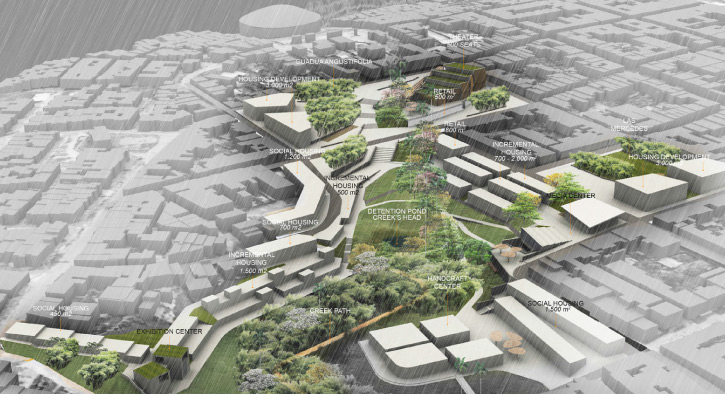
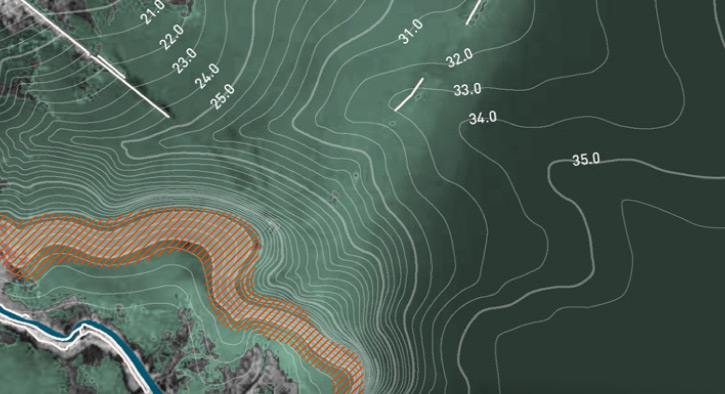
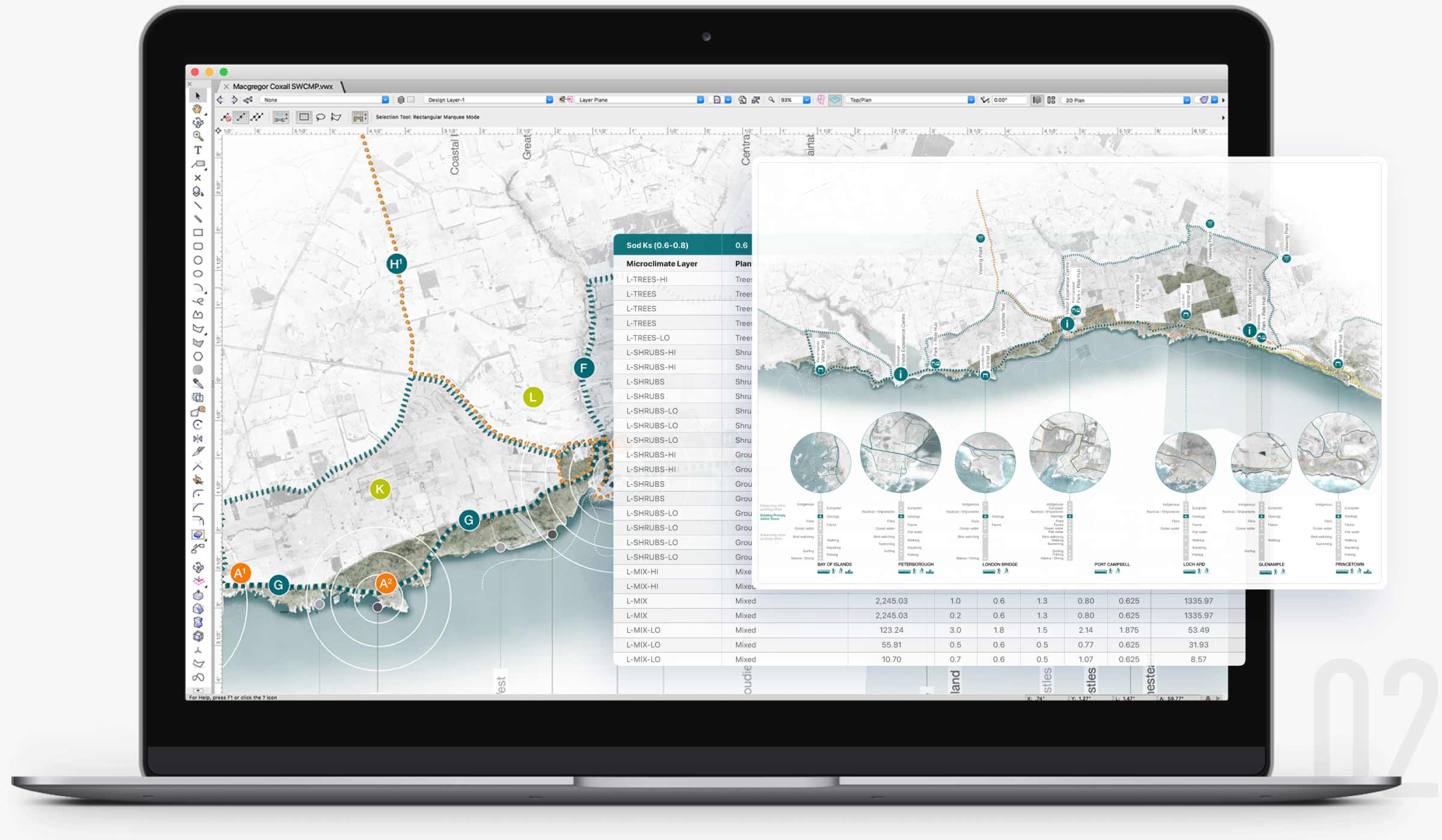
Every site designer’s process begins with a base file, and Landmark frees your workflow from there — whether you start from field measurements, surveys, GIS mapping, or drone-captured data, you’ll be able to work with an informed context plan and model to conduct pre-development analysis such as sun/shade, surface drainage, and slope.
LANDSCAPE DESIGN SOFTWARE FOR EVERY PROJECT PHASE
Schematic Design
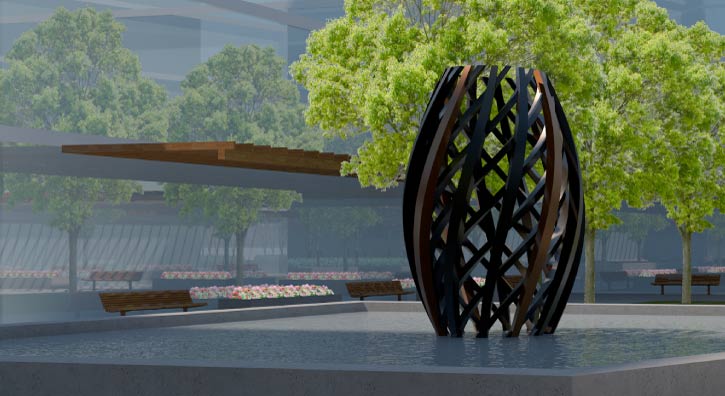
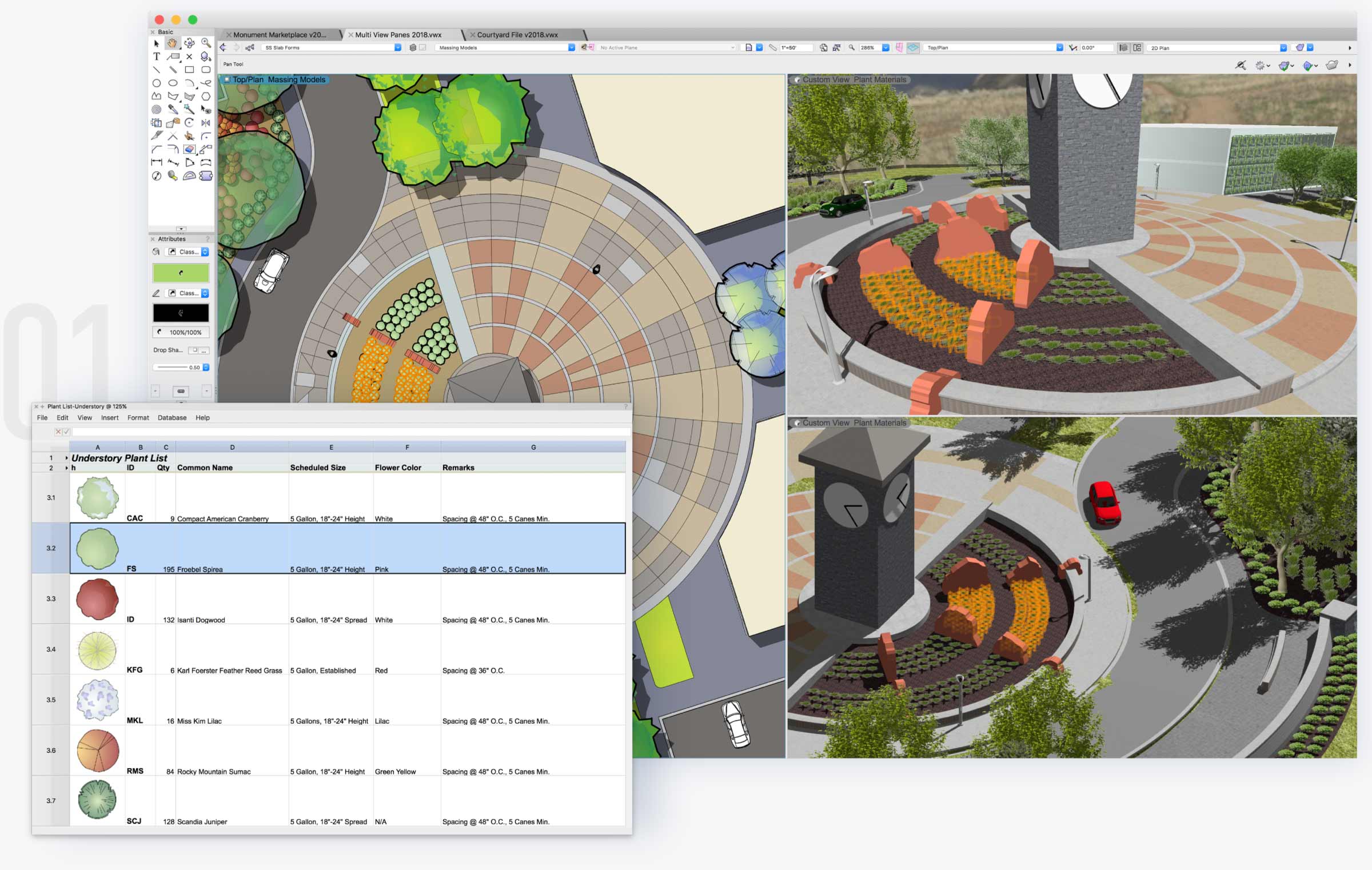
Bring your sketches to life by converting them to smart objects like hardscapes, landscape areas, plantings, and more. Landmark continuously supports your project through varying levels of detail, from 2D drafted concepts and bubble diagrams to 3D site modeling. This gives you the flexibility to use conceptual objects until you’re ready to specify your exact materials and easily update them with more accurate components as your design progresses.
LANDSCAPE DESIGN SOFTWARE FOR EVERY PROJECT PHASE
Design Development
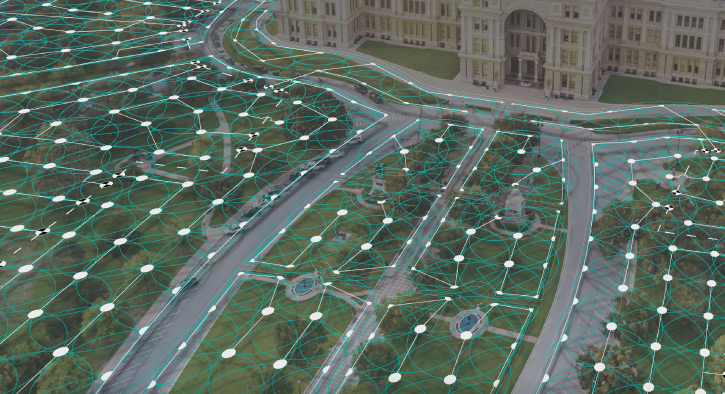
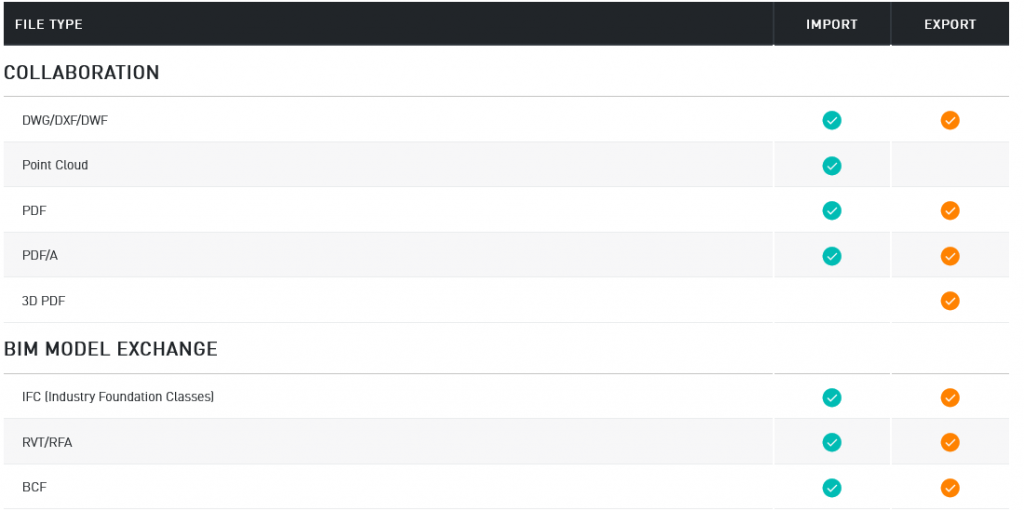
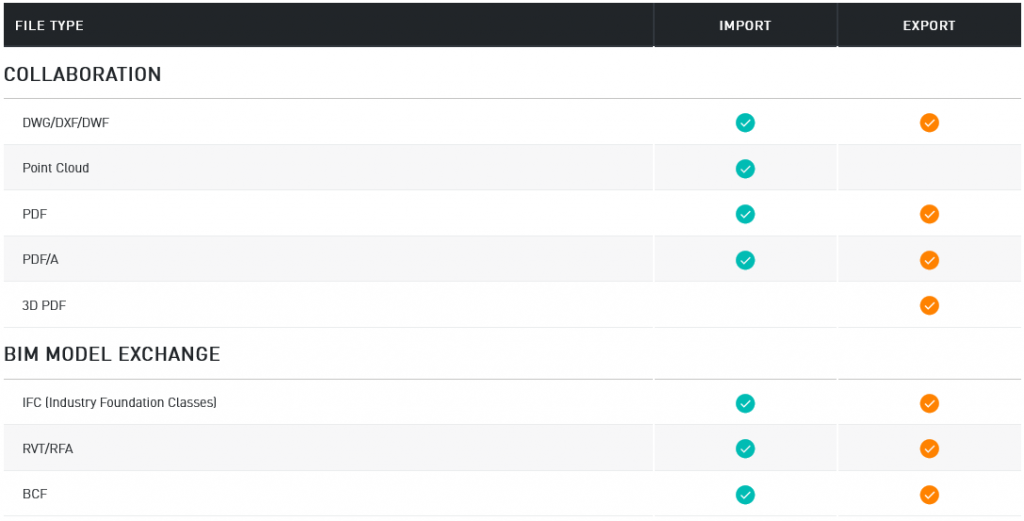
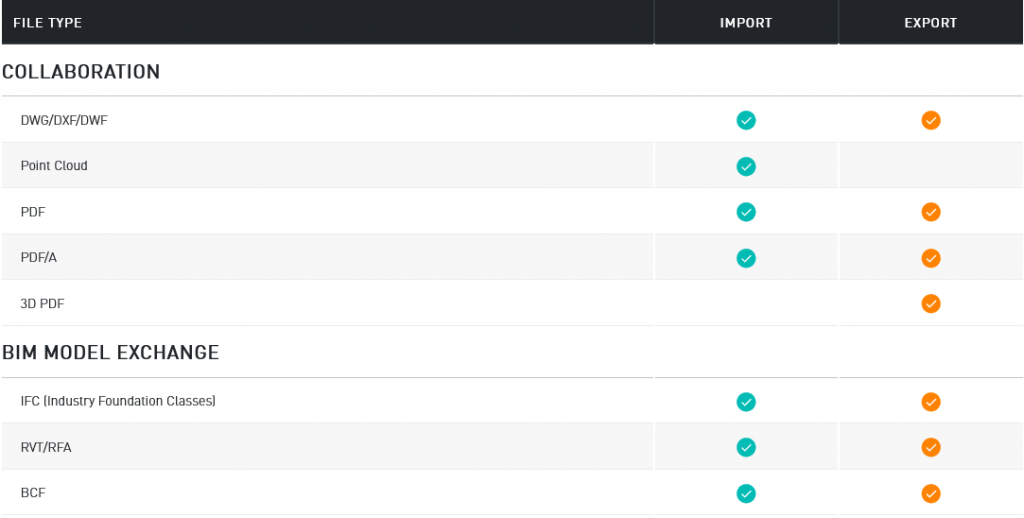
Count on Landmark to keep your projects current by referencing DWG, IFC, and RVT files and work through iterative changes from your collaborators. As your maturing projects gather more intelligence and data, you can use visual analysis to ensure your designed elements and their impacts on the site will be better performing. This data is also harvested through reports to capture the crucial calculations required by the client, contractor, and approving agencies.
LANDSCAPE DESIGN SOFTWARE FOR EVERY PROJECT PHASE
Construction Documents
Vectorworks Landmark’s sheet layers and customizable viewports allow you to make detailed construction documents that fit the needs of your design process. 3D data-driven tools and a flexible BIM workflow allow you to seamlessly update and coordinate plans, elevations, sections, and any other details in your designs. Collaborate without compromise with a software that makes producing construction documents more efficient and less tedious.
THE ONLY SOLUTION YOU NEED
This all-in-one program will transform your design, presentation, irrigation, and documentation workflows. Unlike other software, Vectorworks has the flexibility to support your entire project from beginning to end, or anywhere in the process — with tools created specifically for you as a landscape professional.
GIS & Planning
Site Design & Reporting
Creative Modeling
Planting & Hardscapes
Irrigation
Graphics & Presentation
WORK SMARTER WITH BIM
Wouldn’t it be nice if your drawings, details, models, and schedules were all linked? With Vectorworks Landmark’s BIM capabilities, they are. That means a change in one place is reflected everywhere. So, as changes occur, you can spend more time designing and less time manually updating drawings.
MAKE INFORMED DESIGN DECISIONS
The process of Building Information Modeling gives you the power to optimize your designs. Automatically generate schedules and reports. Calculate construction costs and material takeoffs. Analyze terrain for cut/fill, slope, and drainage. Evaluate water budgets and track sustainability goals, like LEED and SITES projects.
WORK WELL WITH OTHERS
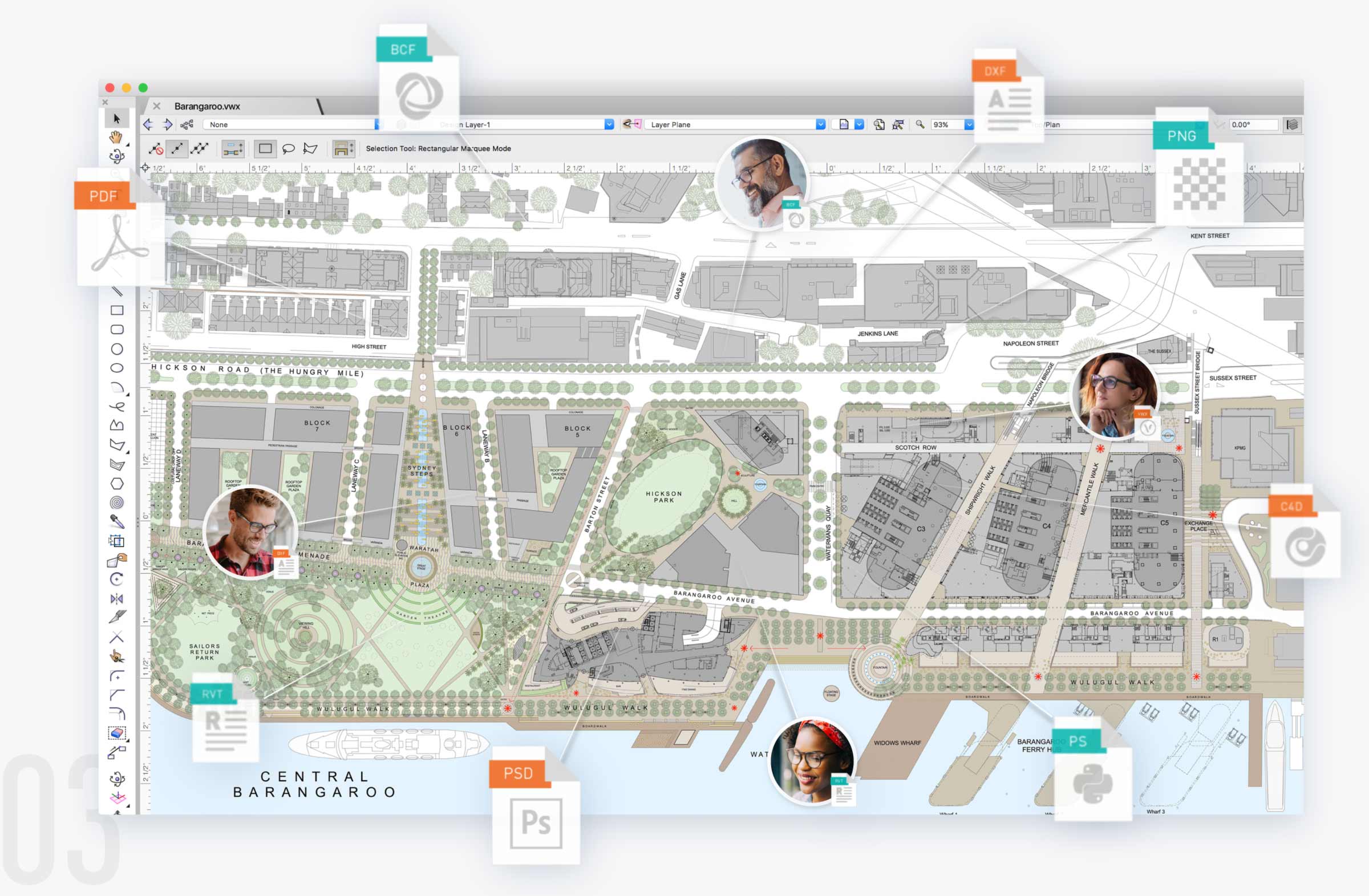
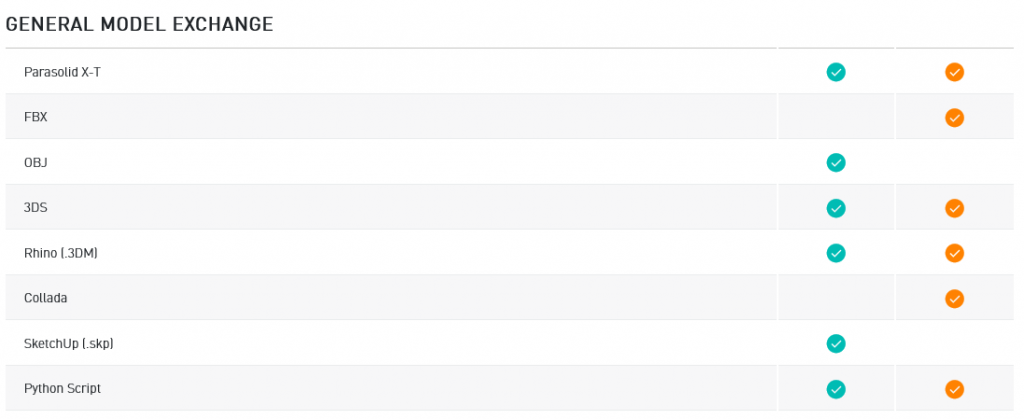
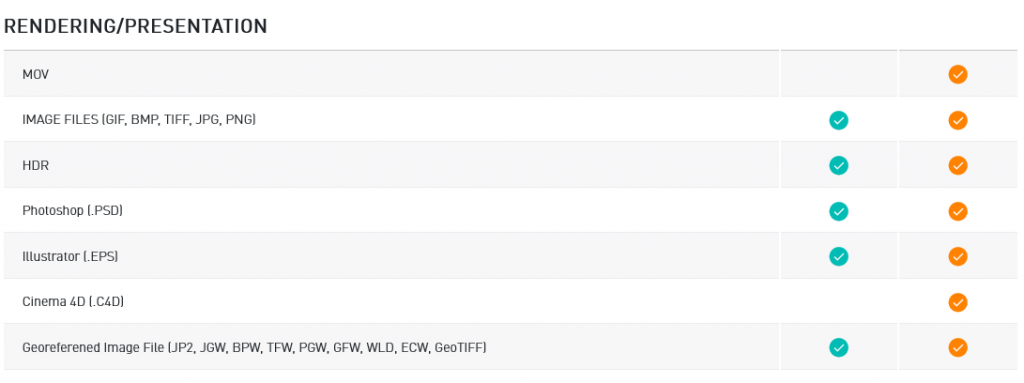
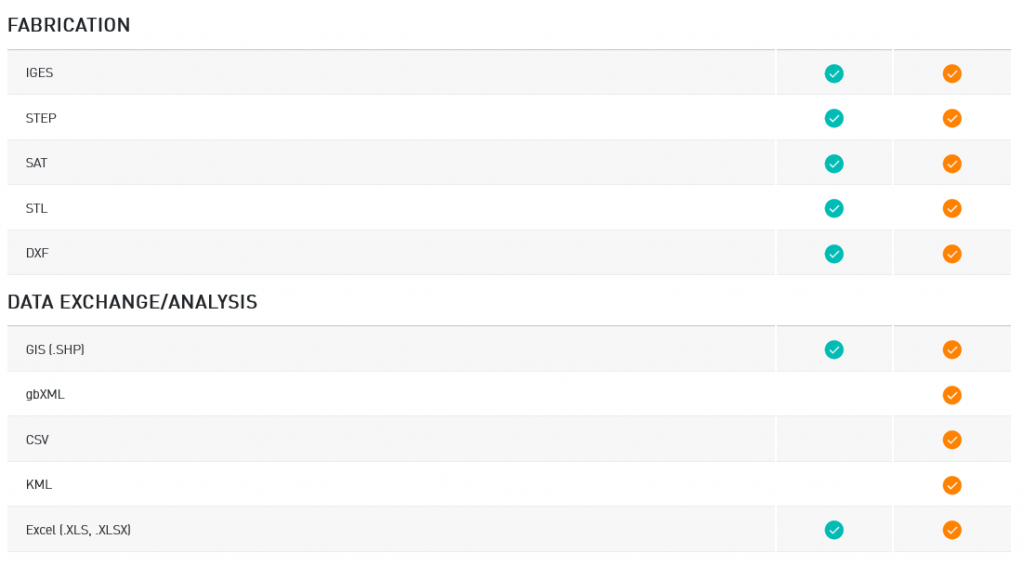
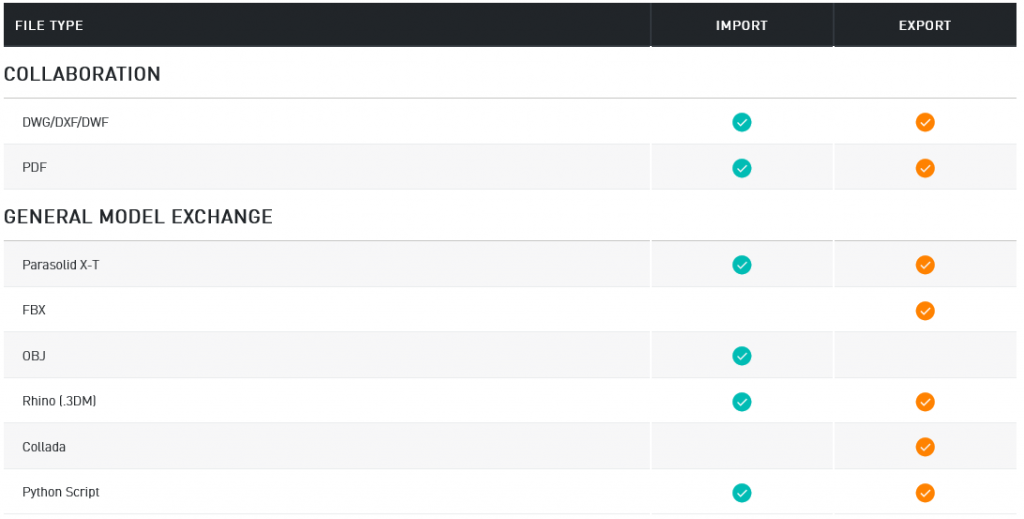
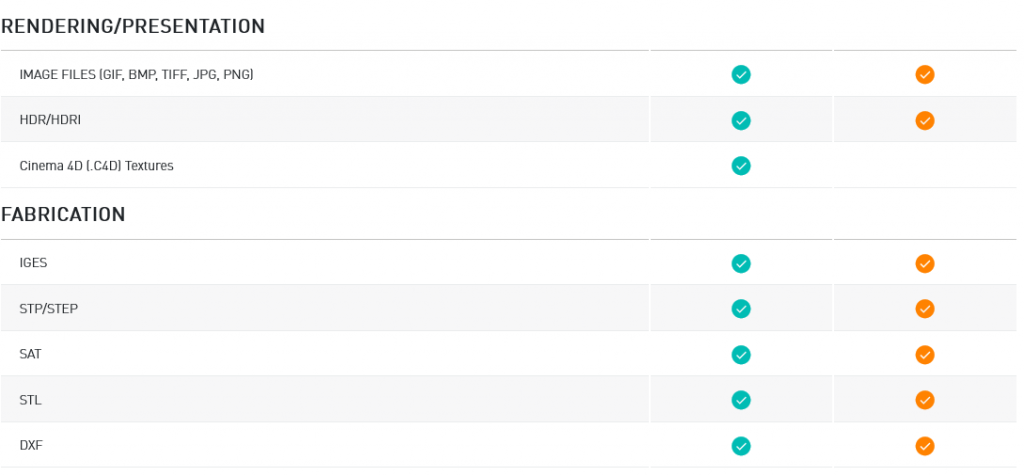
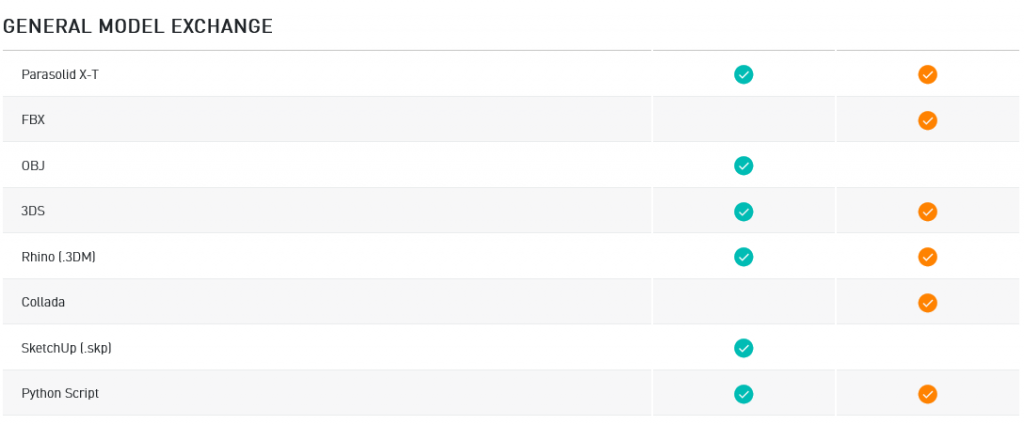
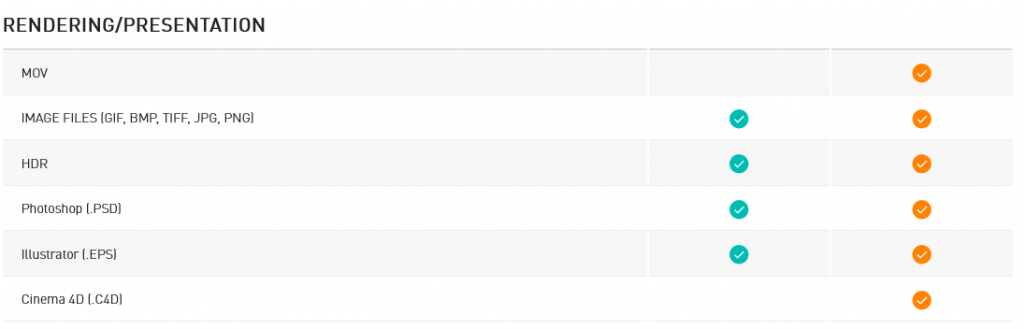
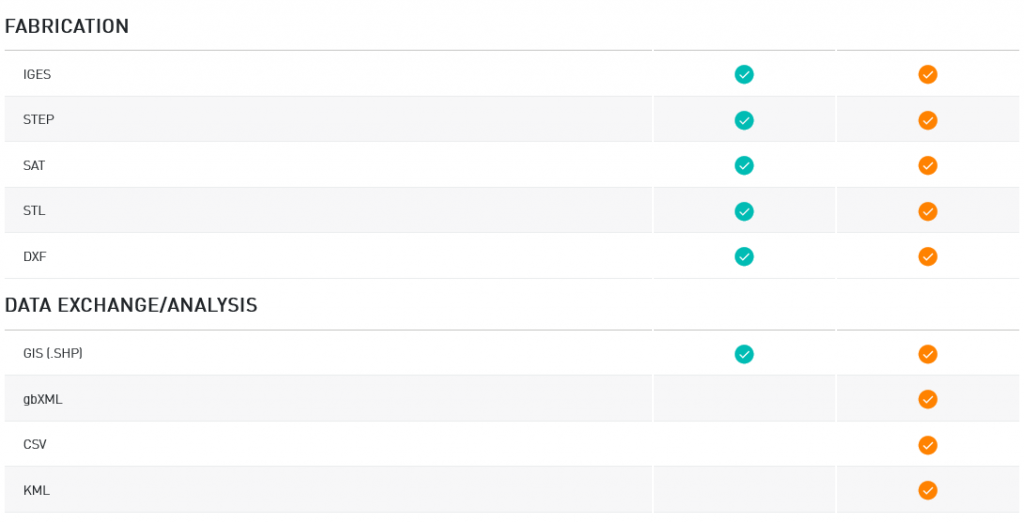
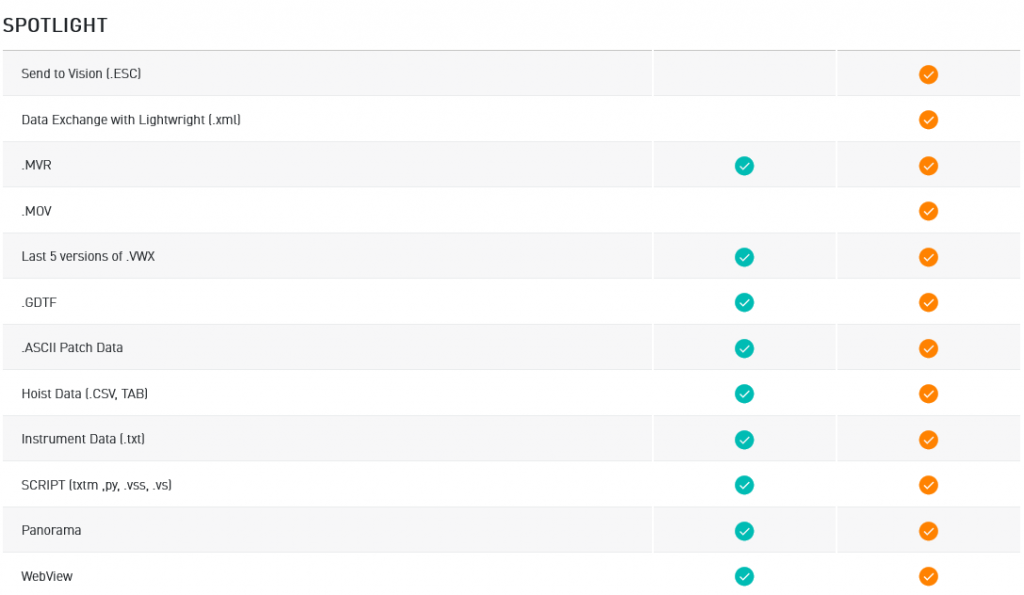
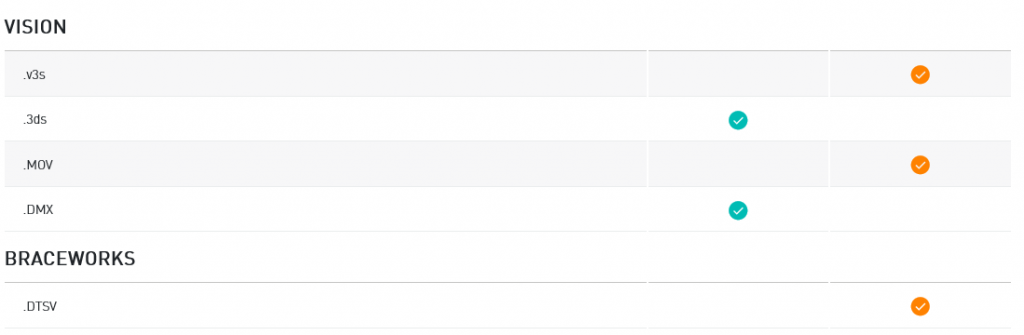
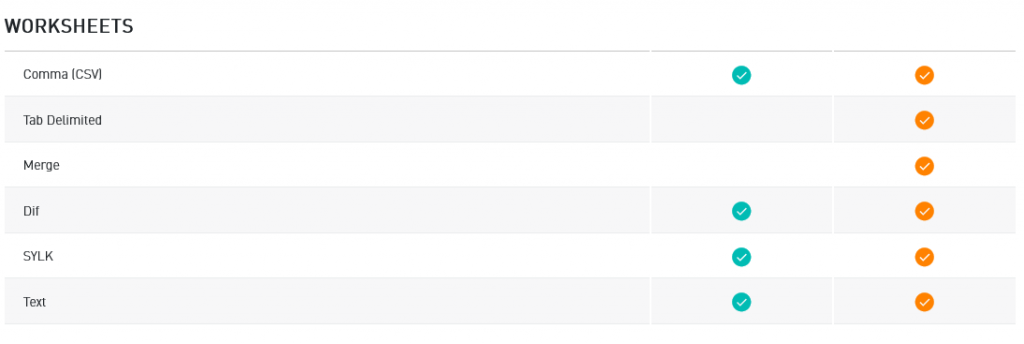
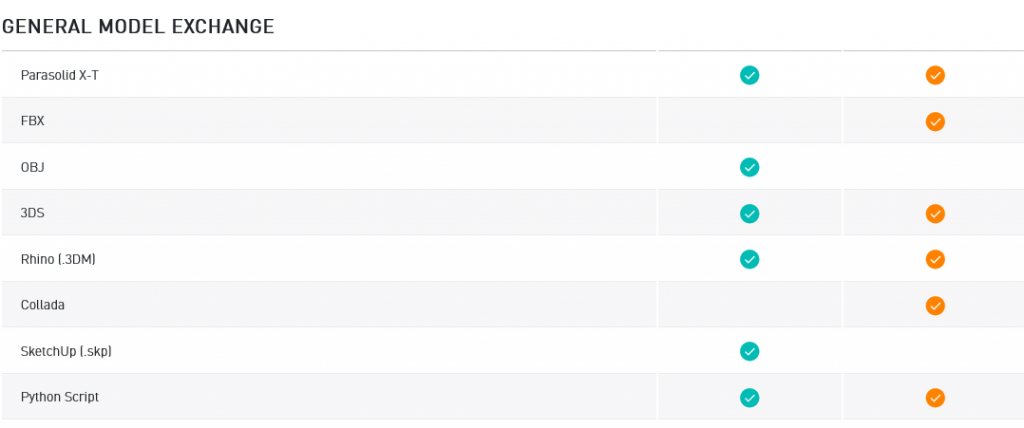
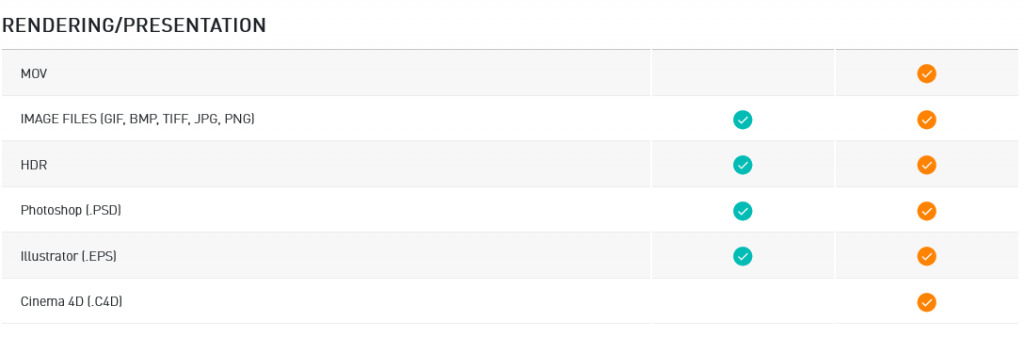
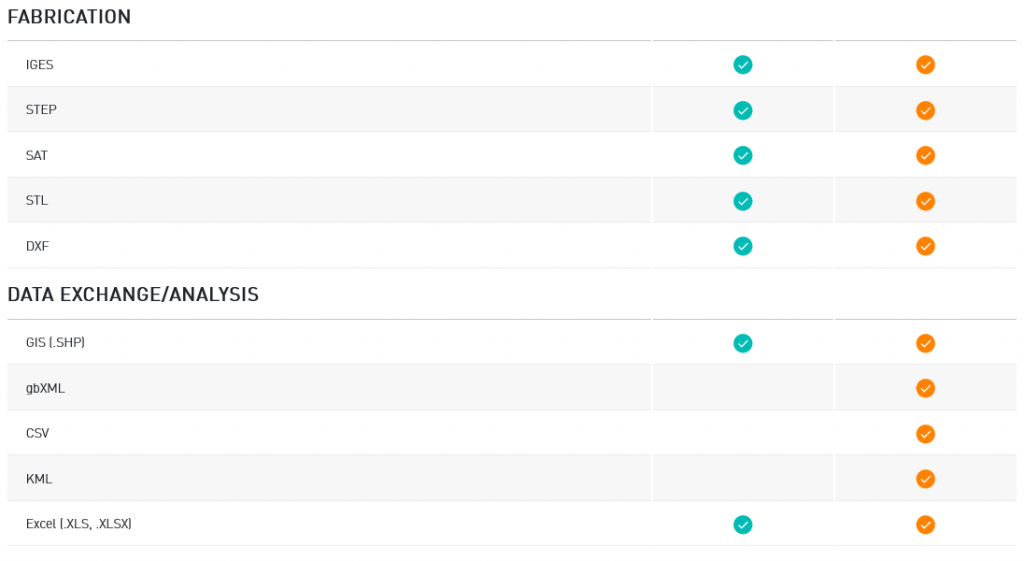
Easily collaborate and share files with anyone, anywhere. We offer the most default import/export capabilities available, as well as support for openBIM and IFC, and direct links with AutoCAD, Revit, SketchUp, Rhino, Photoshop, Lumion, and Cinema4D. And project sharing enables your entire team to work on the same Vectorworks file concurrently, so they can be more efficient on every project.
We’re advancing the use of emerging technologies and making them accessible to everyone. You won’t merely keep up with the latest technologies, you’ll stay one step ahead.
Express your signature style, set your firm apart, and win more work. With an extensive suite of drawing, illustration, and rendering tools, Vectorworks allows you to produce remarkable line drawings and 3D presentations, so you’ll impress even the toughest of clients.
Stay in the modeling space with tools right at the tip of your mouse. There’s no need to constantly move your mouse between your drawing area and the tool palettes. And the Smart Options Display is customizable to easily access your most-used tool sets, last-used tools, tool modes, and standard views with fewer mouse clicks, letting you focus on your design.