If you are an architect, landscape architect, or event designer, you surely know the nightmare of “Frankenstein software”: modeling in one program, documenting in another, and rendering in a third. It’s not just exhausting; it’s a massive drain on time and creativity.
The search for efficiency has skyrocketed on Google this year, and the industry’s answer has a clear name: Vectorworks 2026. Under its new motto “No drag. Just drive,” this platform promises something that seemed impossible: handling your entire creative process, from a sketch on a napkin to an Augmented Reality presentation, without ever leaving the same interface.
At Aufiero Informática, we have analyzed the new features, and here are the 5 reasons why this software is winning the battle of technological innovation.
1. The Cloud and AI Are Your New Assistants
Forget needing a NASA supercomputer to render a complex scene. One of Vectorworks’ most attractive features is its integration with Cloud Services. This allows you to shift heavy processing to the cloud, freeing up your local machine so you can keep designing without interruptions.
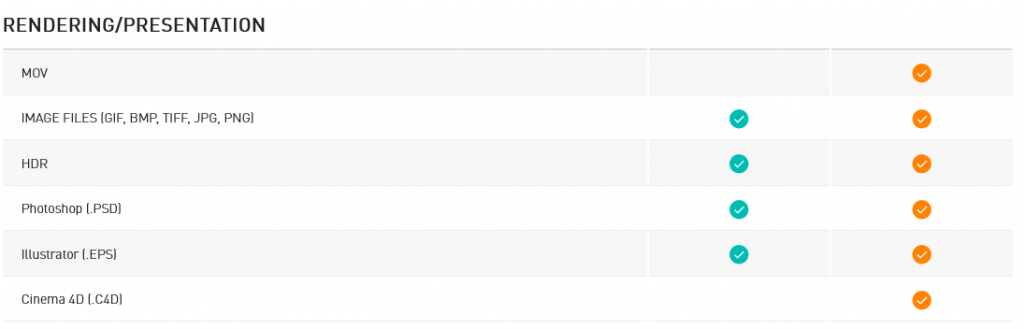
But what’s truly futuristic is the integration of Machine Learning and Augmented Reality (AR). Imagine sending your client a link where they can “walk” through their future garden or stage using just their mobile phone. This isn’t science fiction; it’s a native tool that helps sell projects by evoking emotions and creating unmatched experiences.
2. From the Real World to Digital in Seconds (LIDAR)
How much time do you waste measuring an existing site? Vectorworks has integrated technologies for capturing existing conditions via LIDAR and photogrammetry.
This means you can use modern mobile devices to scan a physical space and obtain a precise point cloud inside your 3D model almost instantly. For renovation professionals or stage designers working in existing venues, this cuts hours of manual measuring down to minutes of digital scanning.
3. Premium Libraries: Don’t Design What Already Exists
A major headache for designers is having to model every chair, light fixture, or tree from scratch. Vectorworks tackles this problem with its Premium Content Libraries.
We are talking about a “drag-and-drop” system with objects from real manufacturers. Need a specific light fixture for your show? A specific plant species for your landscape? It’s likely already in the library, ready to use with its correct BIM data and textures. This allows you to complete projects faster and with a professional level of realism without extra effort.
4. True Specialization vs. “Jack of All Trades”
Many programs try to do everything and end up doing nothing well. Vectorworks bets on specific modules that speak your technical language:
• For the Architect: It’s not just drafting; it’s full BIM. Vectorworks Architect allows you to design and deliver residential and commercial projects by integrating complex data into the visual design.
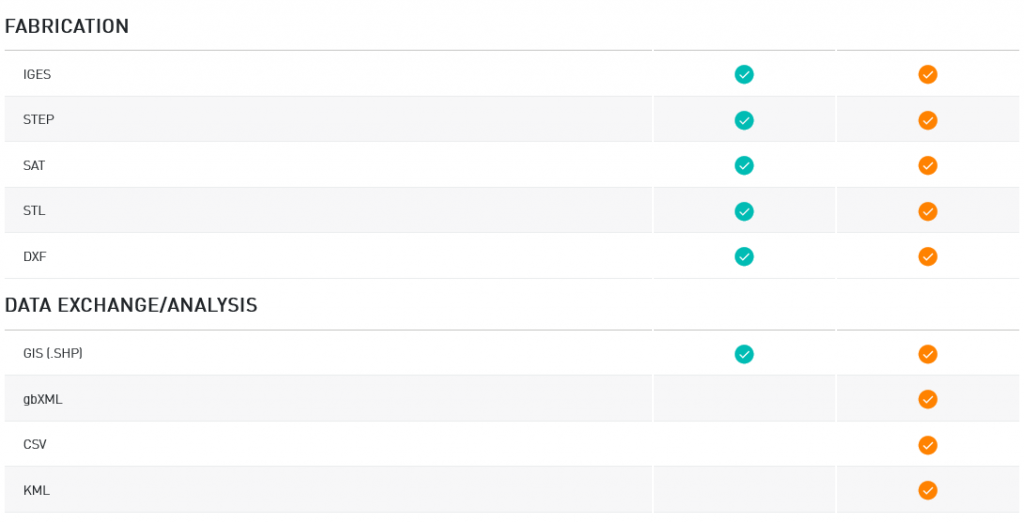
• For the Landscaper: Vectorworks Landmark is the gold standard. It doesn’t just draw plants; it integrates GIS systems and terrain planning into a single tool.
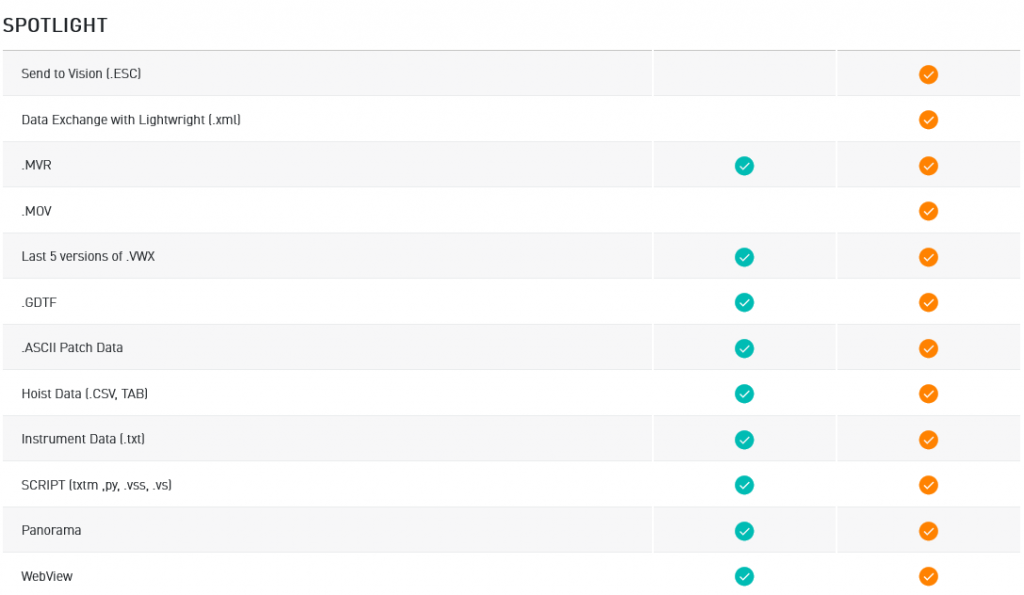
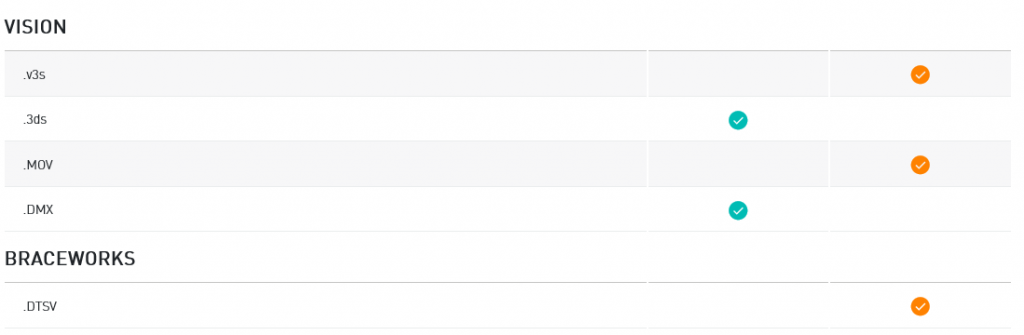
• For Show Business: If you work in entertainment, Vectorworks Spotlight is non-negotiable. It includes tools like Braceworks to calculate if rigging structures will support the weight of lights and sound, ensuring event safety before a single bolt is installed.
5. Collaboration Without Barriers (Open BIM)
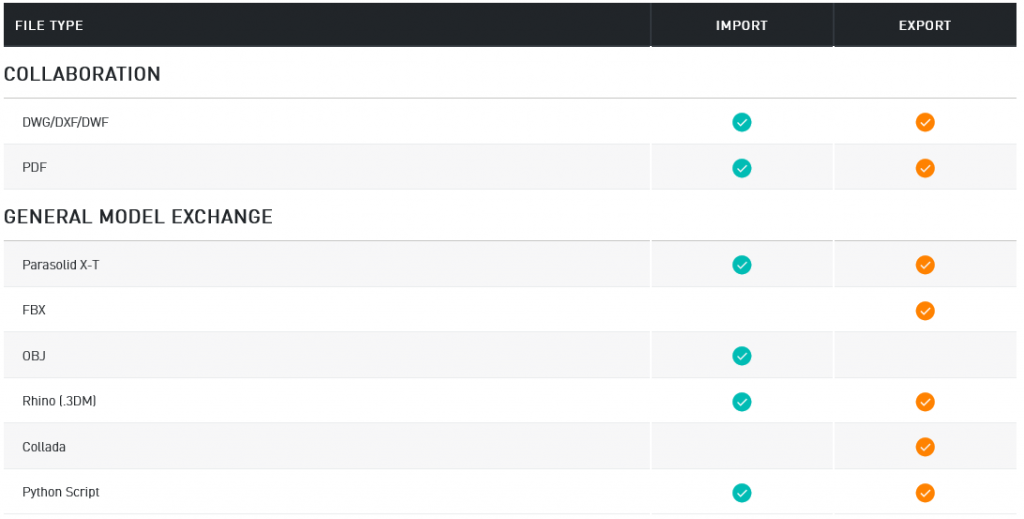
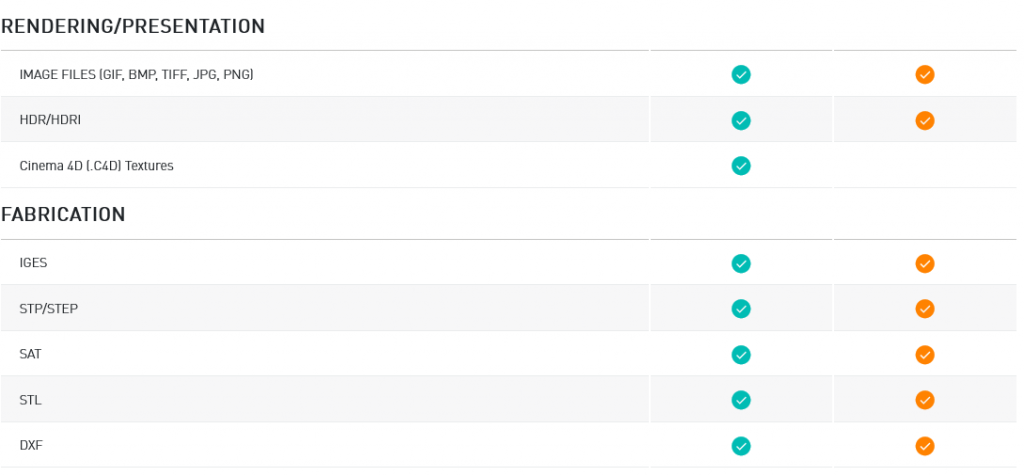
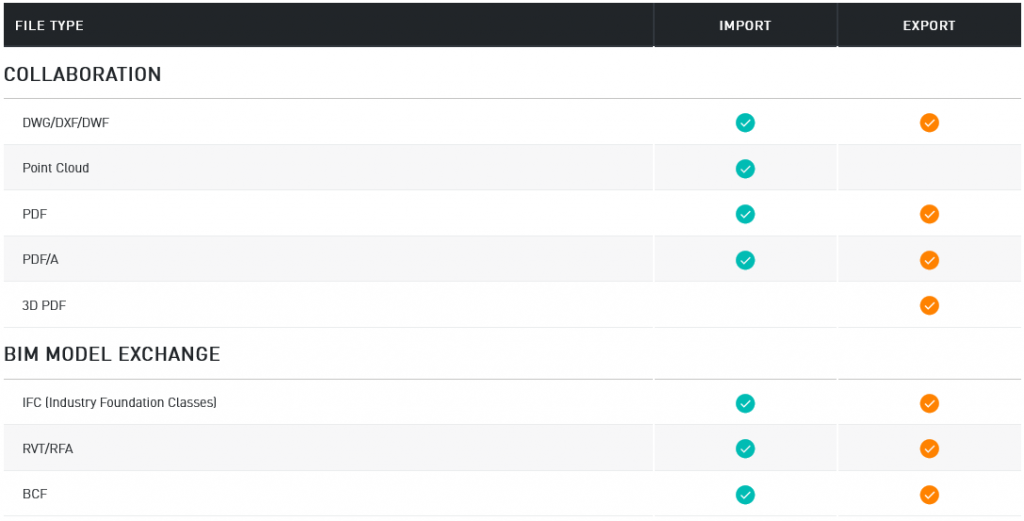
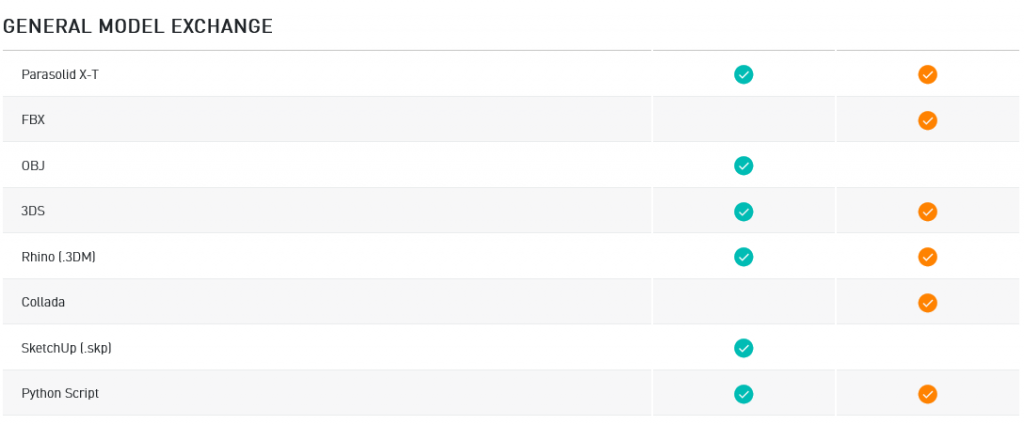
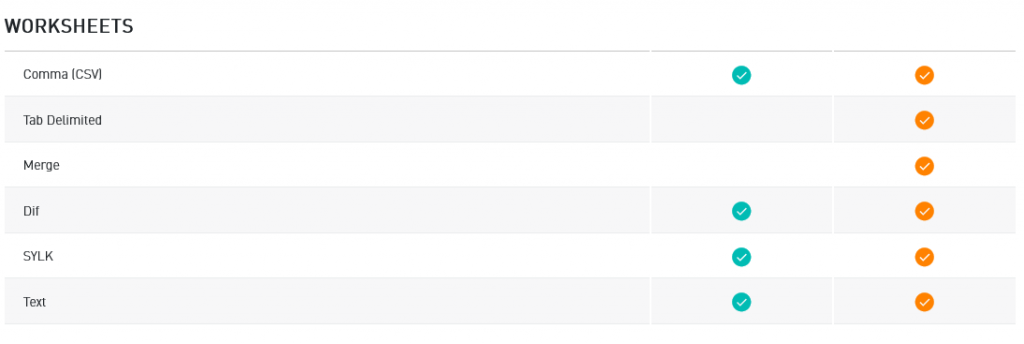
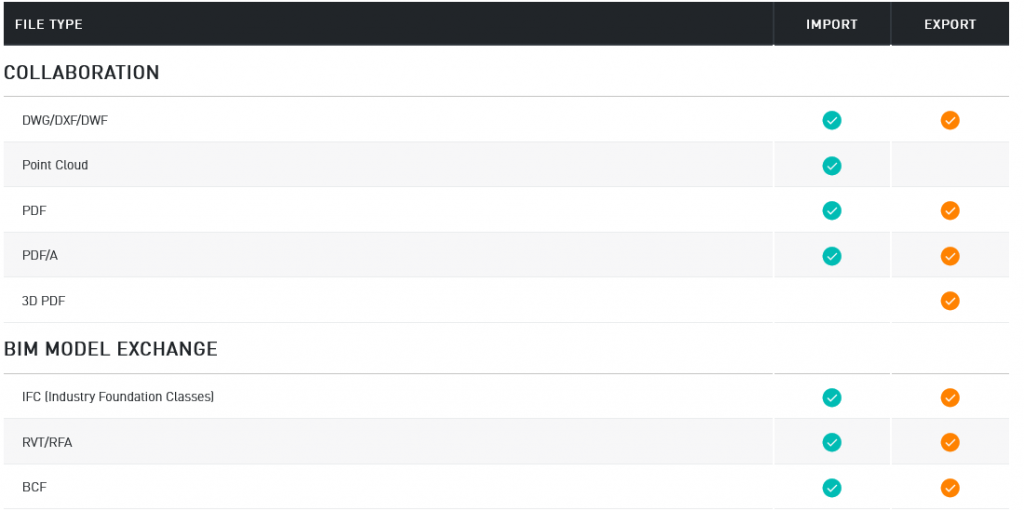
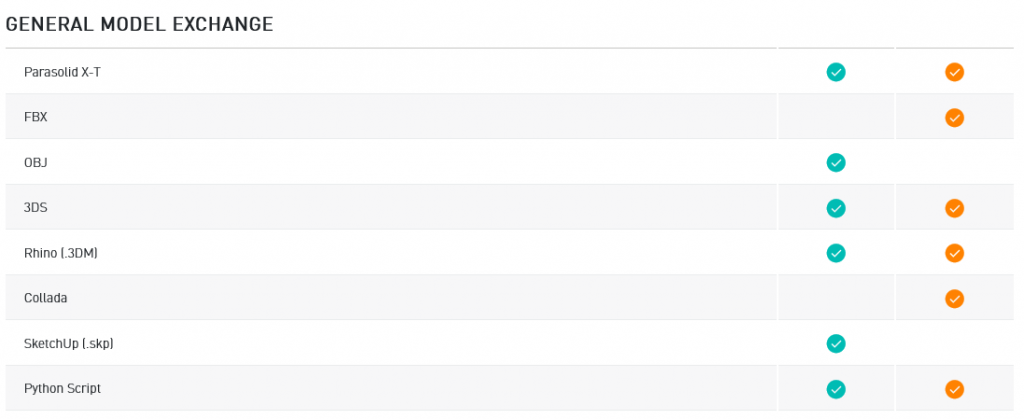
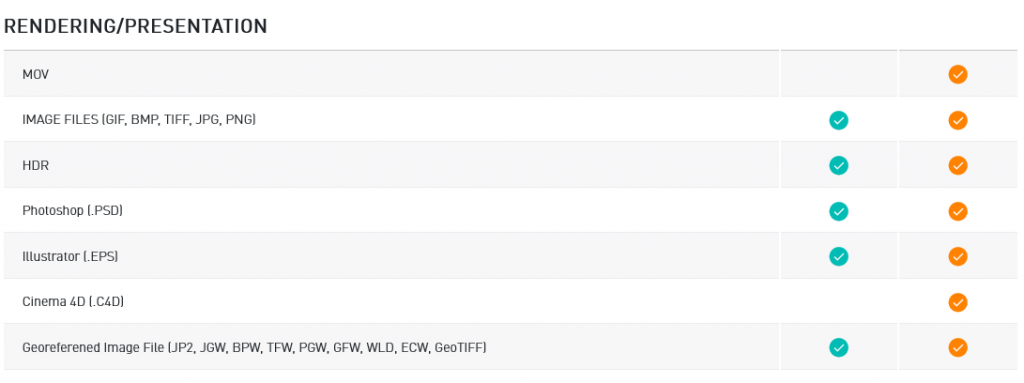
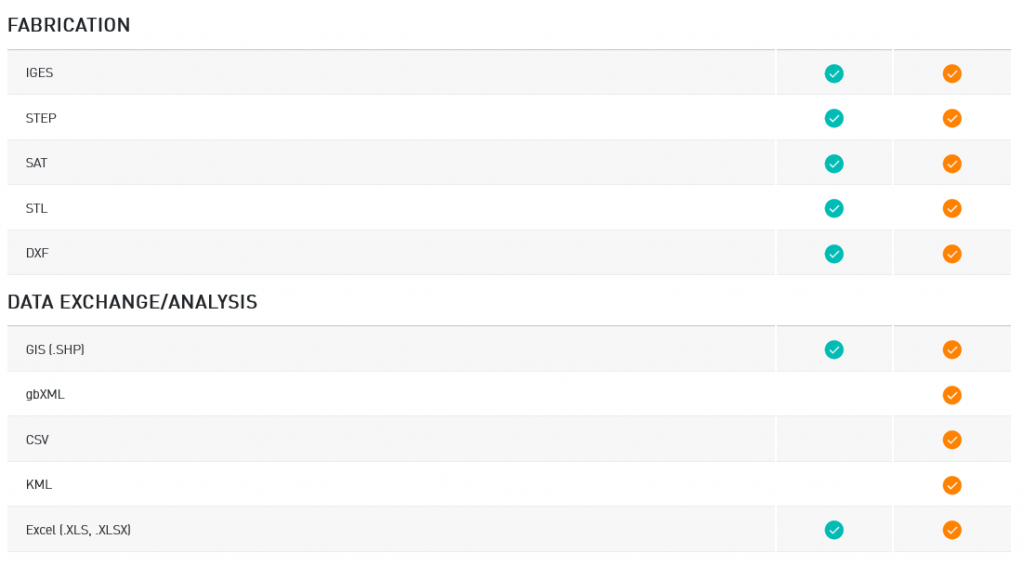
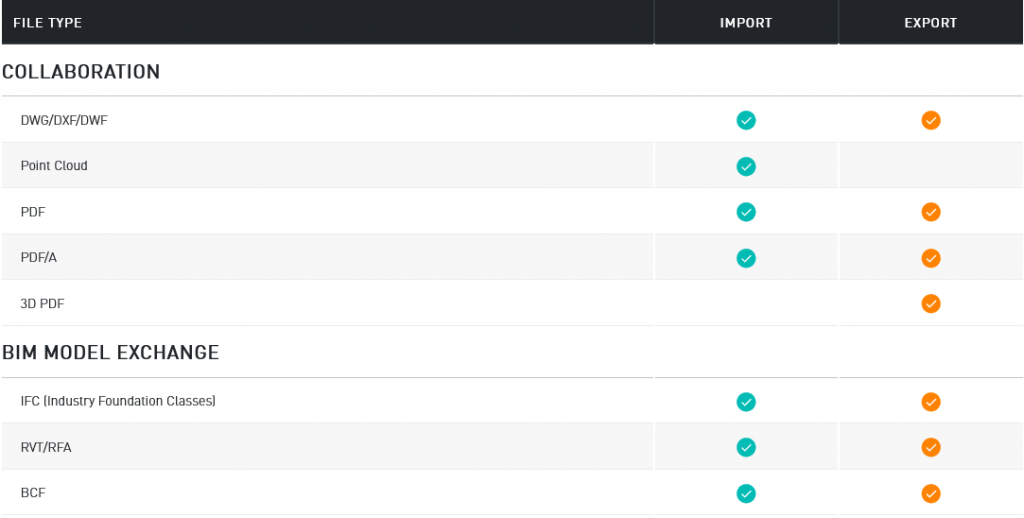
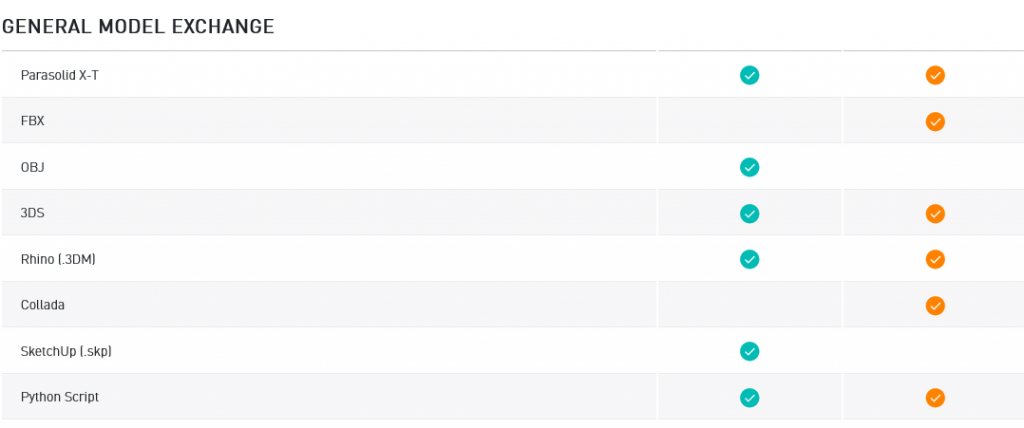
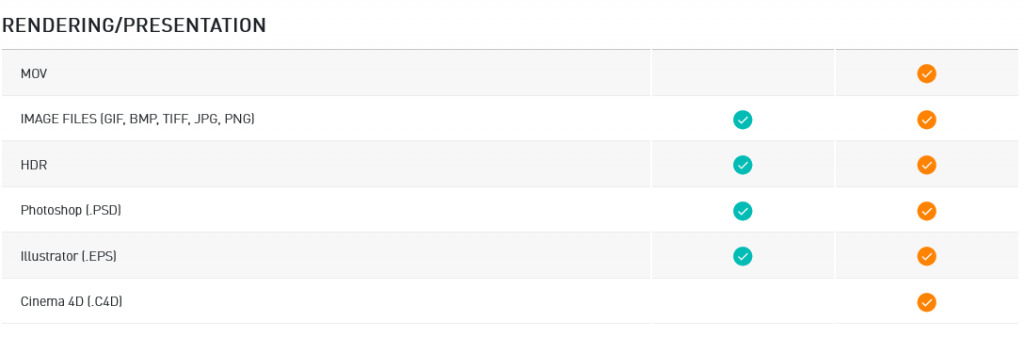
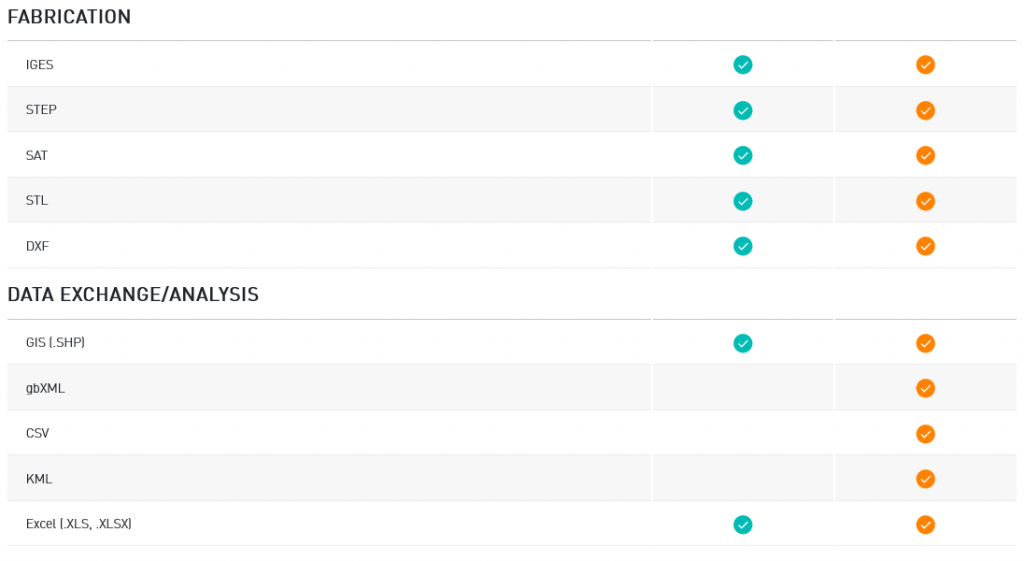
The fear of being “isolated” by using different software than everyone else is a thing of the past. Vectorworks is a champion of Open BIM and part of the Nemetschek Group. This guarantees you can collaborate with engineers or consultants using other platforms without losing information along the way. Plus, the ability to connect with real-time rendering and third-party products ensures your workflow is as flexible as you need it to be.
Conclusion: Are You Ready to Drive?
Version 2026 isn’t just an update; it’s a mindset shift. It’s about breaking free from routine to move your creative work forward.
If you are tired of fighting your tools and want to start flowing with them, Vectorworks is the smart investment this year. Whether you need the technical precision of ConnectCAD for A/V installations or the sketching freedom of Fundamentals, at Aufiero Informática, we have the exact solution for you.
Want to see these tools in action? Explore our resources, visit Vectorworks University for free tutorials, and contact us to take the leap into the future of design.